KitchIntel
A universal food-waste app for tracking freshness, expiration, and inventory, designed with households in Trinidad and Tobago closely in mind.
Situation
I was tasked with developing a solution to a food-related issue in Trinidad and Tobago. Drawing on a previous class about waste and the circular economy, I chose to address food waste, recognizing its significant global impact and how often it starts at home.
Task
Create a user-friendly tool that helps individuals reduce food waste in their homes by effectively tracking food freshness, expiration dates, and inventory.
Action
I began with research, including an interview with a resident of Trinidad and Tobago, to understand the common causes of household food waste. Those insights pointed to frequent wastage of everyday items, and shaped a set of features built around catching food before it spoils:
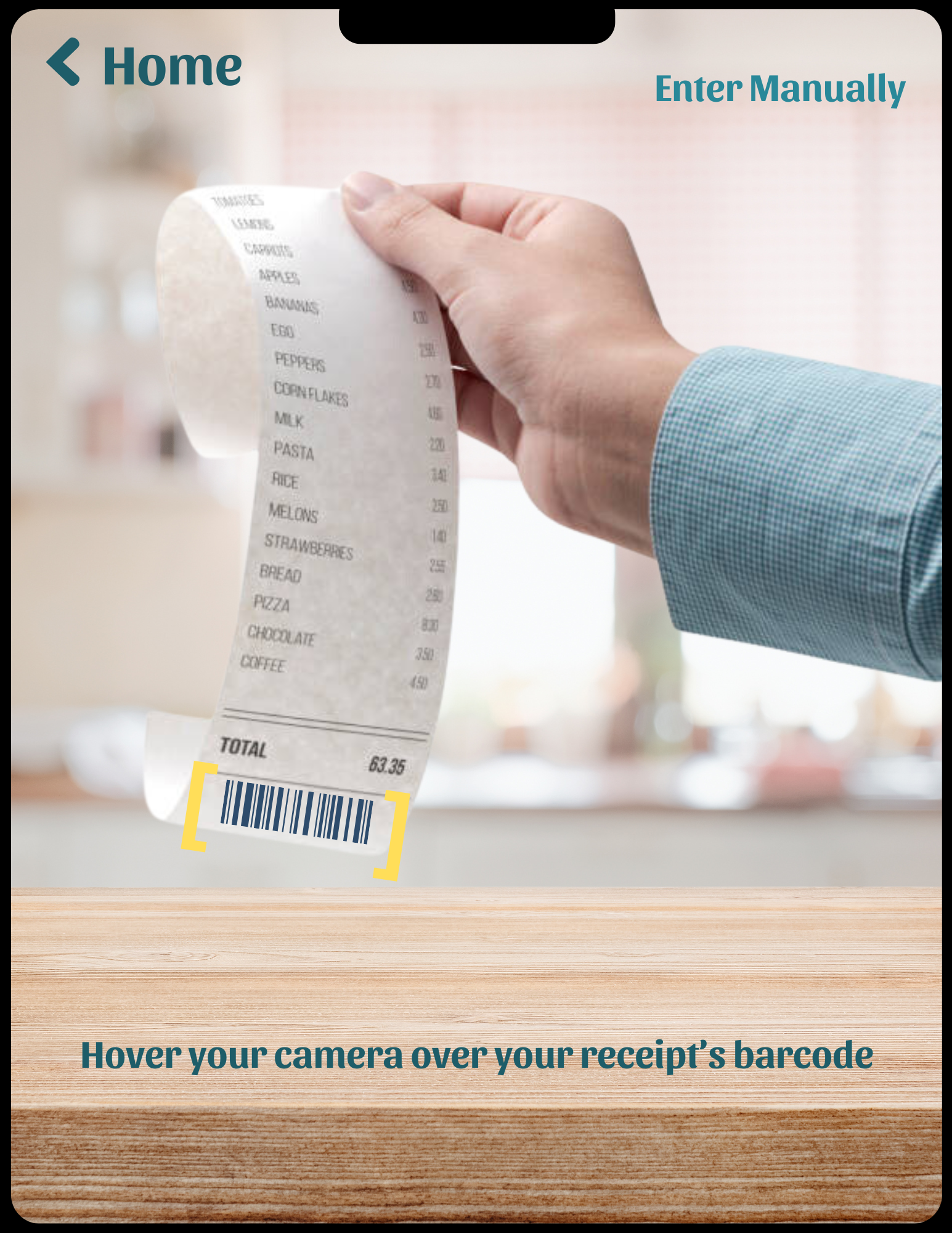
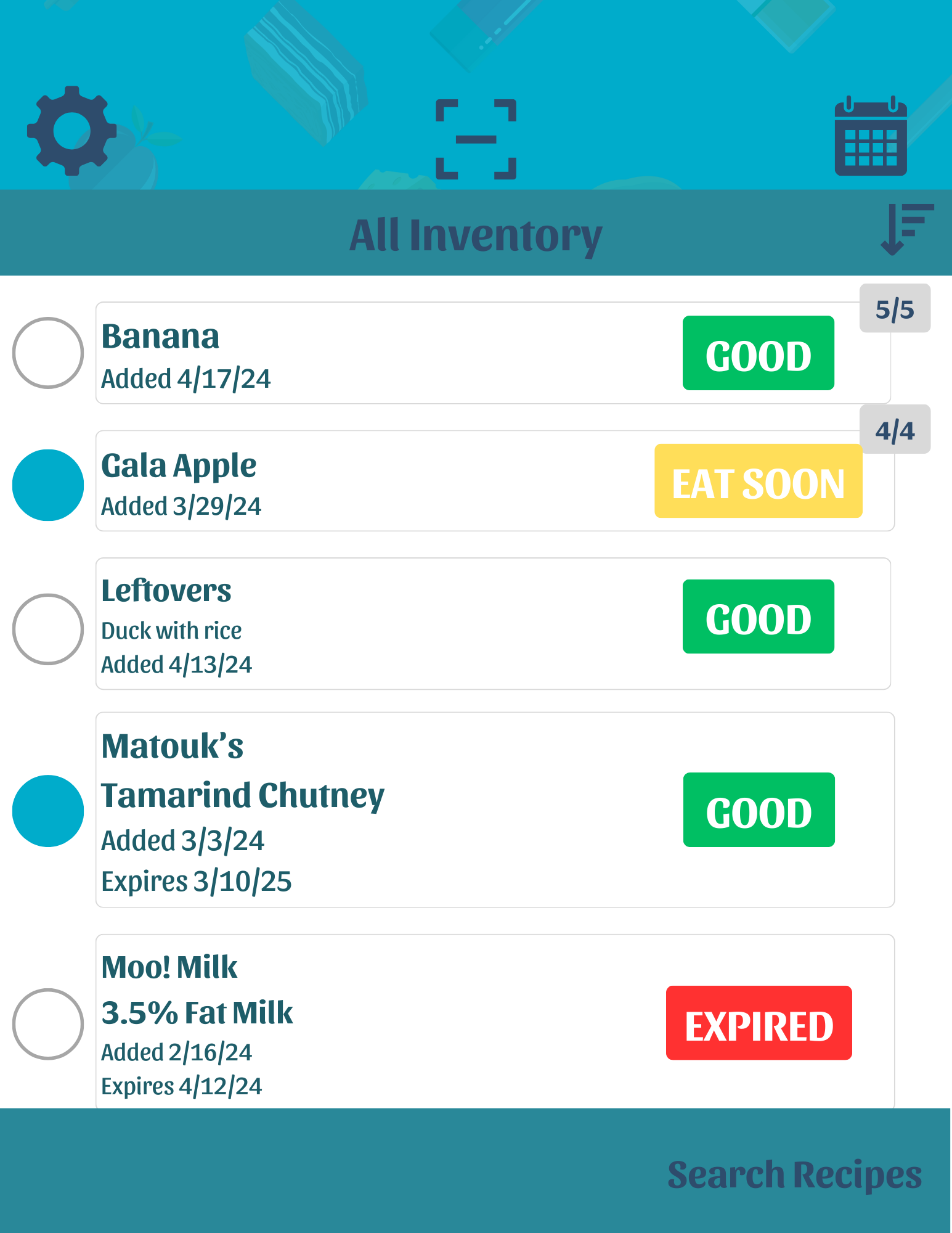
- Scanning: log items quickly by scanning a receipt or barcode, with the option to enter them manually.
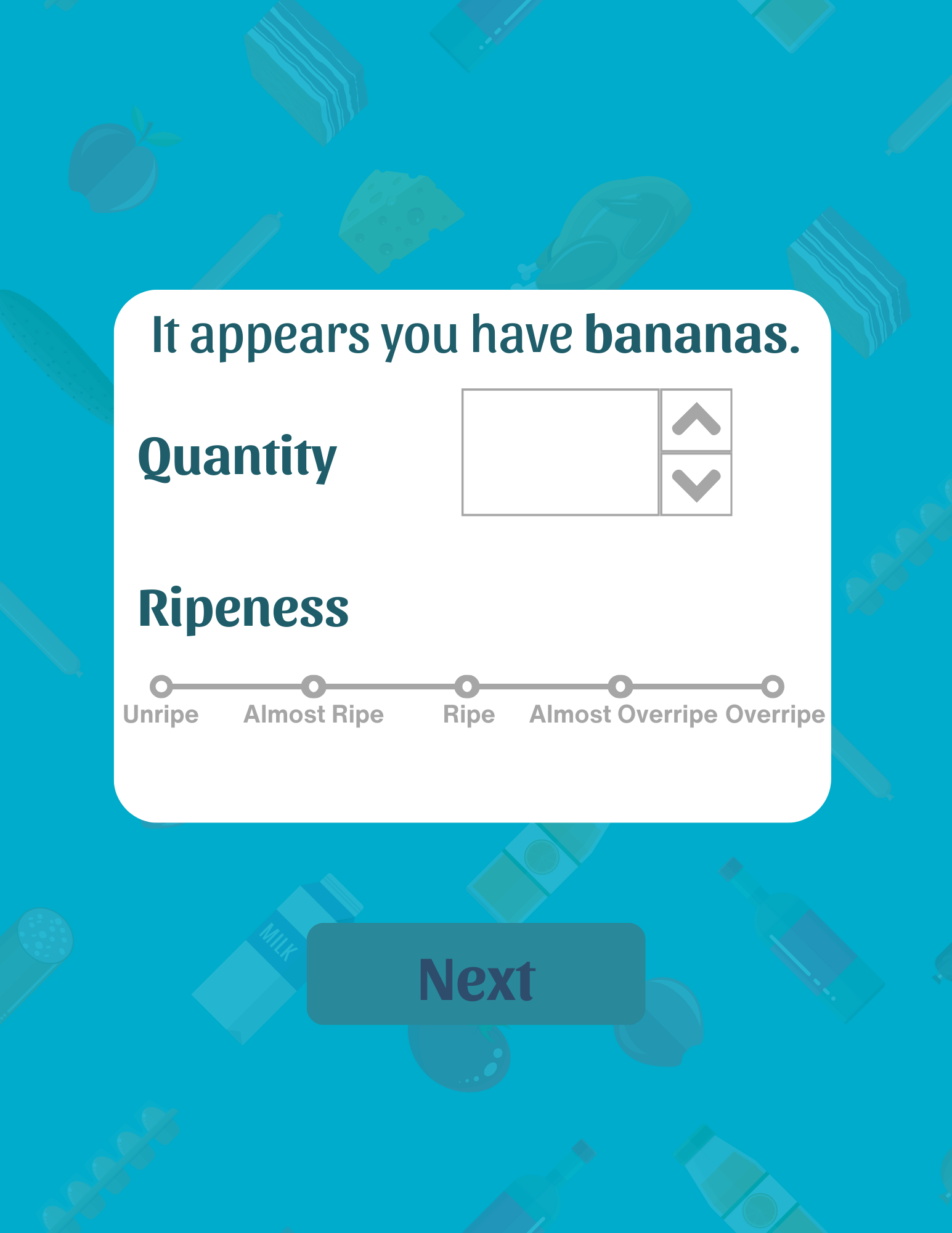
- Quantity and ripeness: record how much you have and, where relevant, how ripe it is, so the app can prompt you at the right time.
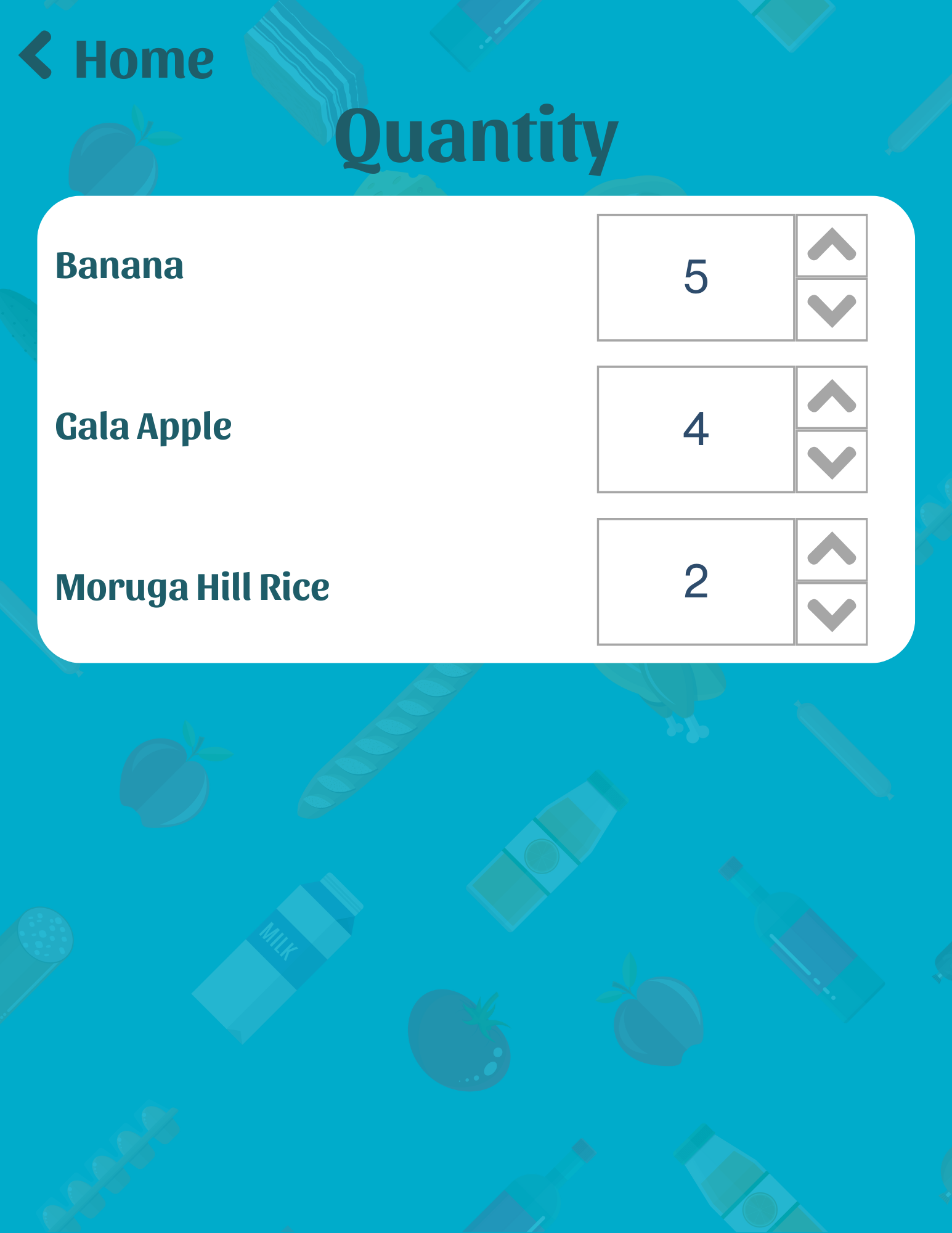
- Editing quantities: adjust counts by tapping an item and using the up and down arrows as you use things up.
- Recipe search: select items nearing their expiration date and search for recipes that use them first.
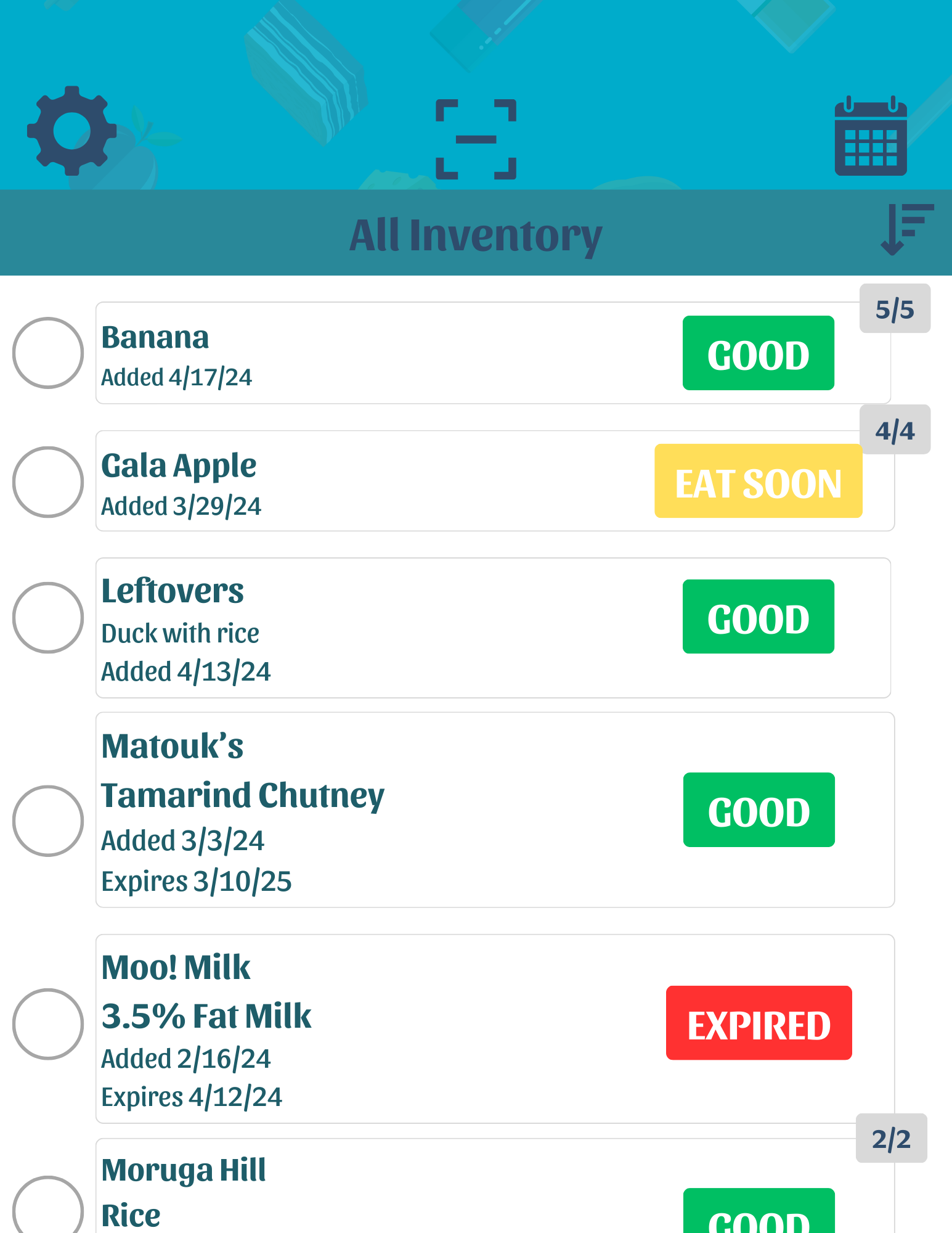
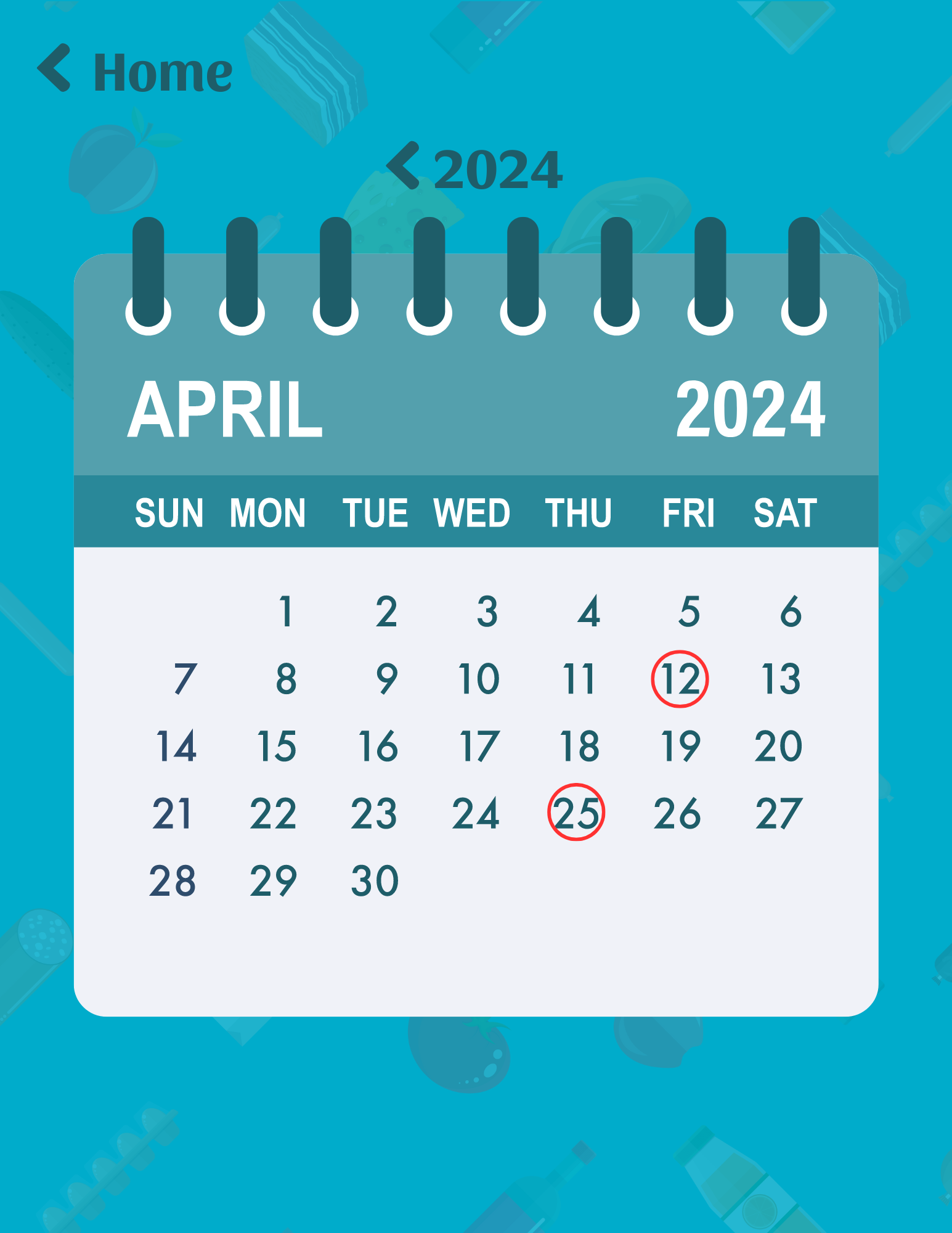
- Calendar overview: see all expiration dates laid out by date, so nothing slips past unnoticed.
For the visual design, I chose a clean, modern sans-serif that's easy on the eyes, and a food-themed background that signals the app's purpose at a glance. The Settings, Scan, Calendar, and Sort icons were kept universal so they read across languages. Freshness status uses a traffic-light color system (green, amber, red), paired with text labels so it stays legible for colorblind users rather than relying on color alone.
Result
KitchIntel gives households a single, approachable place to see what food they have, what's about to expire, and what they can cook with it before it goes to waste. It's a complete UX project, from research through to an accessible, color-coded interface.
The one interview I ran shaped the app's features more than my own guesses would have. Back to all work →